Cron with MySQL tools and automatic backup
Delete old records, clean tables, create backups - all this can be done directly in mysql without additional scripts in PHP or bash.
MySQL is a built-in task scheduler, like a system crown, but operating at the database level.
When is it more convenient for an external crown:
- the task concerns only the data in the database.
- there is no access to the server.
- atomicity is needed - execution within a single transaction.
Step 1. Check and enable
First, make sure that the scheduler is active:
- SHOW VARIABLES LIKE 'event_scheduler';
| Status | Value |
|---|---|
| ON | Ready to work |
| OFF | Needs to be enabled |
Enable it with the command:
- SET GLOBAL event_scheduler = ON;
Or via the config /etc/my.cnf (permanently):
- ini[mysqld]
- event_scheduler = on
On our servers, is enabled by default. If it is disabled on your hosting, please contact support.
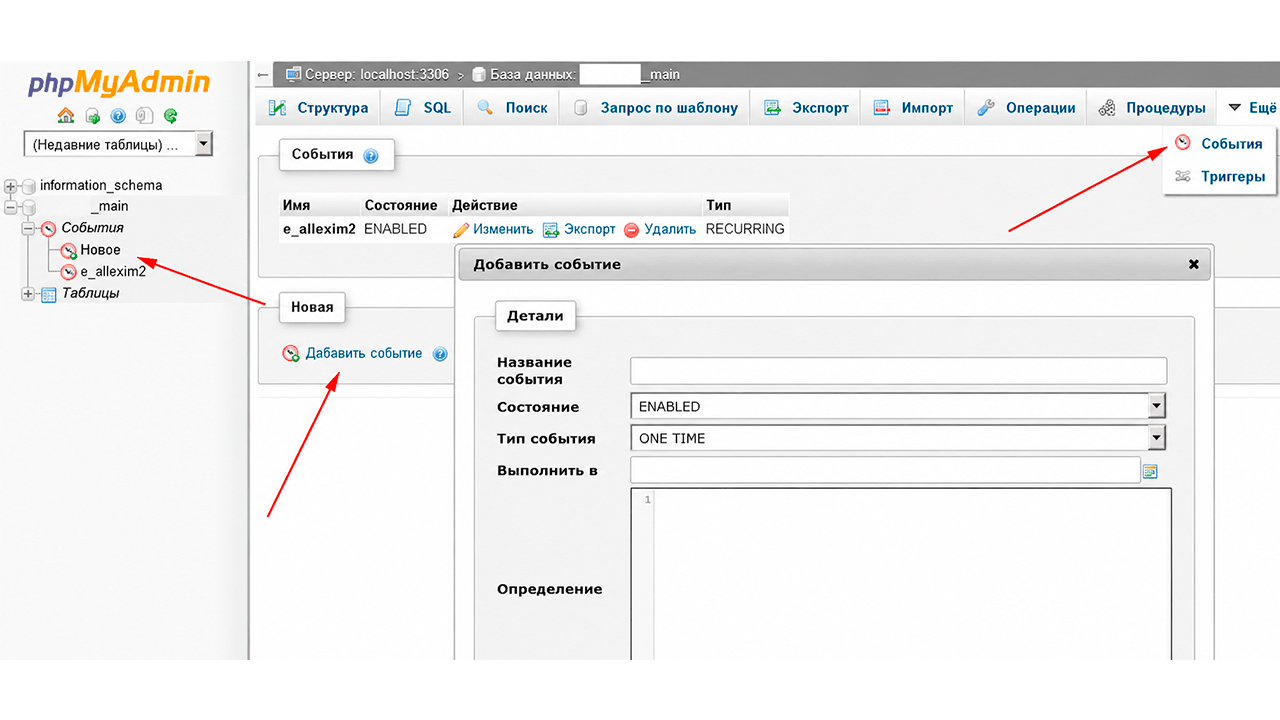
Step 2. Create an event - an example of deleting old logs
Task: Delete records older than 3 days every 60 minutes.
- DELIMITER ;;
- CREATE EVENT e_delete_logs
- ON SCHEDULE EVERY 60 MINUTE
- COMMENT 'Deleting outdated logs'
- DO
- BEGIN
- DELETE FROM `namedb`.`logs` WHERE `ltime` <= CURDATE() - 3;
- OPTIMIZE TABLE `namedb`.`logs`;
- END;;
Interval syntax:
| Interval | Record |
|---|---|
| Every hour | EVERY 1 HOUR |
| Every day | EVERY 1 DAY |
| After 1 hour from now | AT CURRENT_TIMESTAMP + INTERVAL 1 HOUR |
| Once per date | AT '2025-01-01 03:00:00' |
Step 3. Backup - two ways
Method #1 - data directly in the bash command
bash
- 0 3 * * * mysqldump -u root -password namedb > /backup/mydb_$(date +\%F).sql
Password is visible in the process history - not recommended for production.
Method number 2 - through the configuration file (securely)
Create ~/.my.cnf:
ini
- [client]
- user=root
- password=YOUR_PASSWORD
Rights: chmod 600 ~/.my.cnf
Task:
bash
- 0 3 * * * mysqldump mydb > /backup/mydb_$(date +\%F).sql
Comparison of methods:
| Criterion | Method No. 1 | Method No. 2 |
|---|---|---|
| Simplicity | Quick | Requires configuration |
| Security | Password is open | Protected |
| Recommended | Test/locally | Production |
For more information about the syntax of events, see the official documentation.