Dedicated server rental in Kazakhstan: infrastructure, opportunities and practical benefits

Dedicated servers are not just "more powerful than VPS". It is a completely isolated physical machine, whose resources are not shared with other clients. Renting a server closes several tasks at once:

  • stable performance without "neighbors"
  • configuration control
  • compliance with security requirements (including personal data)
  • the ability to fine-tune for a specific stack
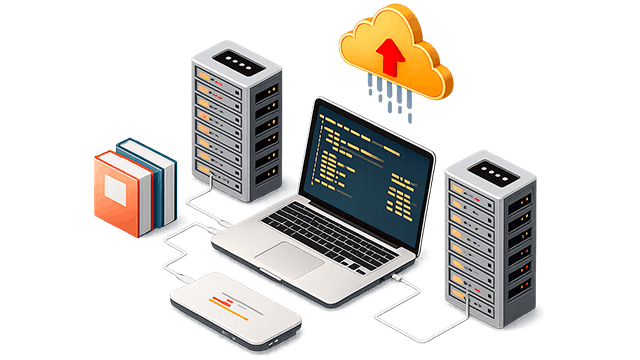
Renting is faster and cheaper than buying hardware. When you rent, you get:

  • ready-made infrastructure in the data center
  • connecting to a high-speed network
  • protection against power outages and network failures
  • technical support

What is dedicated server rental?

This is a physical server provided entirely to a single client.

Unlike VPS/VDS:

ParameterVPS/VDSDedicated
ResourcesThey shareCompletely yours
EfficiencyDepends on the neighborsStable
Access to hardwareNoFull
Flexibility of configurationLimitedMaximum
  • Data center locations:
  • Data center locations:
  • Data center locations:
  • Data center locations:
  • Data center locations:
  • Data center locations:
  • Data center locations:
  • Data center locations:
  • Data center locations:

Where are the servers hosted

Servers for rent are hosted in professional data centers with:

  • redundant power supply
  • cooling system
  • DDoS protection
  • round-the-clock monitoring

Technologies with Intel® and AMD™ processors

The choice of CPU depends on the load, not the brand. The main options are:

  • Intel — high frequency per core (suitable for web and CRM)
  • AMD EPYC — more cores and threads (ideal for virtualization and databases)

Comparison:

ParameterIntelAMD EPYC
FrequencyHigherBelow
CoresLessMore
MultithreadingAverageHigh
Price/produces.AverageBetter under load

What is included in the rental service in Kazakhstan

The basic server rental includes:

  • dedicated server
  • connecting to the network
  • IP addresses
  • access (SSH/IPMI)
  • basic protection

Additionally, you may need to:

  • licenses (Windows, RDP)
  • backup
  • administration
  • monitoring
  • CDN

Advantages of renting dedicated instead of an office server

Keeping a server in the office is almost always a bad idea.

Why:

Finance

  • no capital expenditure
  • no cooling and electricity costs

Reliability

  • uptime of the data center > 99.9%
  • backup of all systems

Scalability

  • upgrade without buying new hardware

Safety

  • physical security
  • network filters

Support

  • 24/7 engineers

The advantages of the dedicated option are maximum productivity and control.

The main advantages:

  • using 100% of resources
  • isolation at the physical level
  • increased productivity
  • flexible setup
  • predictable expenses

Additionally:

  • IPMI (remote access to hardware)
  • custom configurations
  • RAID for fault tolerance

Equipment used

Stability = high-quality iron.

The infrastructure uses:

  • corporate CPUs
  • SSD/NVMe drives
  • RAID controllers
  • fault-tolerant power supplies

Types of storage devices:

TypeSpeedReliabilityApplication
HDDLowAveragearchives
SSDAverageIncreasedweb, databases
NVMeVery highIncreasedhigh-load projects

RAID and data storage

RAID — this is not a backup, but protection against disk failure. Popular Usage levels:

  • 1 — mirroring
  • 5 — balance of speed and reliability
  • 10 — maximum performance

Is a custom configuration possible?

Yes, and this is the standard for business.

You can choose:

Terms of issue of the renting server

From 1 hour to several days.

  • ready-made configurations are fast
  • custom ones — longer

Enabling and launching

Renting a server and launching it takes a minimum of time. Steps:

  • Configuration selection
  • Payment
  • Deployment
  • Access to the server

Migration and launch - what they usually do:

  • migrating sites
  • database migration
  • setting up the environment
  • minimizing downtime

What can be placed on the server

Almost everything. Examples:

  • websites and portals
  • online stores
  • CRM/ERP
  • streaming
  • databases

When a dedicated server is needed, it's when the VPS can't handle it anymore.

Signs:

  • unstable performance
  • big overload
  • Safety requirements
  • the need for customization
Reviews:
FAQ

This is a physical computer that is fully assigned to one client without sharing resources with other users.

In a professional data center with:

  • backup power supply
  • cooling
  • physical security
  • network protection

Yes. Possible:

  • RAM upgrade
  • replacing disks
  • CPU change (within the framework of the platform)
  • switching to a more powerful option

Mostly:

  • Intel (high frequency per core)
  • AMD EPYC (multiple cores for loads)

The choice depends on the objectives of the project.

  • HDD — for archives
  • SSD — universal solution
  • NVMe — for high loads
  • SSD is faster and more reliable
  • HDD is cheaper, but slower

RAID — this is a disk merging technology for:

  • improving fault tolerance
  • increasing the speed

Important: it does not replace backups.

  • 1 — basic protection
  • 5 — balance
  • 10 — high workload and critical projects

The main options are:

  • external backups
  • separate storage servers
  • cloud storage
  • the site is ready from 1 hour to 3 working days.
  • custom—made - from a few hours to days
  • the client has full access
  • for the provider — only at the service level (without access to data)

The base price usually includes:

  • physical computer
  • connecting to the network
  • IP address
  • basic access (SSH/IPMI)

Additional charges are paid:

  • backup
  • administration

Suitable if you have:

  • highly loaded website or service
  • large database
  • SaaS or API with constant load
  • Safety requirements
  • non-standard architecture
  • eCommerce
  • finance
  • SaaS
  • media and streaming
  • game projects

Yes, and it's often more profitable.:

  • Higher reliability
  • better security
  • less cost

If:

  • not enough performance
  • there are drawdowns under the load
  • We need guaranteed resources
Life hacks when using

The correct setup and approach to using dedicated saves money, reduces risks, and provides a margin for efficiency for months to come.

1

Do not use the "end-to-end" configuration

The bottom line: always leave a minimum of 30-40% reserve of resources on the server.

Why is this important?:

  • load peaks are always above average
  • the growth of the project is inevitable
  • the system starts to "crumble" exactly at the limit
2

Choose a CPU for the task, not "to make it more powerful"

  • for web and CRM, a significant frequency is better (Intel)
  • for databases and virtualization - more cores (AMD EPYC)

A mistake that is often made:

they take "many cores", but get low efficiency per thread.

3

NVMe is almost always the right choice

If the budget allows, take NVMe.

Even if it seems that "the SSD is enough":

  • The database is accelerating at times
  • latency decreases
  • faster application response
4

A raid is mandatory, but it doesn't save you from everything.

Protects against damage to the drive on the server

DOES NOT protect against:

  • deleting information
  • hacking
  • admin errors

Always make separate backups.

5

Don't skimp on backups

The Golden Rule:

  • If there is no backup, there is no information.

The best approach:

  • backup on a separate server
  • storage in another location
  • automation
6

Use IPMI — this is your "plan B"

IPMI allows you to:

  • Log in to the server, even if it has "crashed"
  • reinstall the system on the server
  • diagnose problems

Many people ignore it — until the first serious failure.

7

Distribute services by roles

Don't keep everything on one server if your business is growing.

Minimal:

  • separate database
  • separate backend
  • separate front/web

This gives:

  • stability
  • scalability
  • easier diagnosis
8

Watch for congestion, not "when the server crashes"

Use monitoring:

  • CPU
  • RAM
  • disk
  • network

Mistake: react after the fall, not before it.

9

The location of the dedicated server has a stronger impact than it seems

If the audience is in the same region, place yourself in it.

Result:

  • below latency
  • faster loading
  • better UX
10

Don't put everything on the server "just in case"

A common problem:

  • extra services
  • unnecessary packages
  • an overloaded system

The cleaner the server is, the more stable and secure it is.

11

Test it in advance

Before launching:

  • run the load tests
  • check the bottlenecks
  • look at the behavior under the peak
12

Plan your scaling in advance

Don't wait for resources to hit the ceiling.

The best approach:

  • understand the limits in advance
  • have an upgrade plan
  • keep a margin on architecture
13

Use a separate network for internal services

If possible:

  • select a private network
  • separate external and internal traffic

This:

  • faster
  • safer
  • more stable
14

Automate everything you can.

Minimum:

  • deployment
  • backups
  • updates

A dedicated server is a powerful tool, but its effectiveness is 50% dependent on how you use it.

Proper configuration, monitoring, backups, this is a reliable approach without unexpected crashes and unnecessary costs.

Result

A dedicated server is a tool for building a business where stability, control, and scale are important.

Renting a server in Kazakhstan is a full-fledged infrastructure that allows:

  • withstand high overloads
  • comply with safety requirements
  • flexibly manage resources
  • develop a business without restrictions

If the business is growing, the transition to a dedicated Server is inevitable. The only question is when you will do it: in advance and calmly, or after falling under overload.