Configuring PHP for 1C Bitrix on hosting
CloudLinux + cPanel provide everything you need for Bitrix out of the box, but 4 hypertext preprocessor parameters need to be set manually, and Opcache needs to be configured for the environment (prod or dev).
1
Version selection
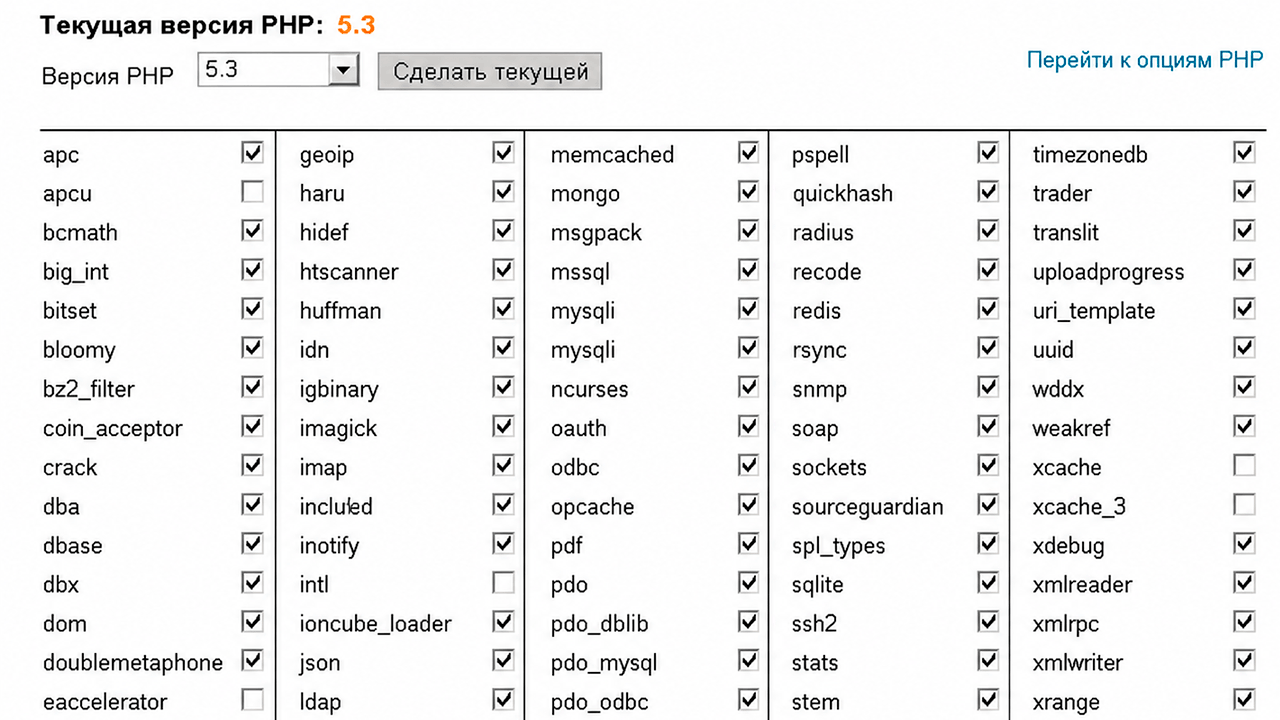
Go to cPanel - "Version selection".
- Recommended modifications: 5.4 or 5.5 - faster on tests than 5.3.
- Components: If you don't know the exact needs of the template, include everything. The site will slow down a bit, but you won't get a white screen due to a missing module.
2
Required parameters
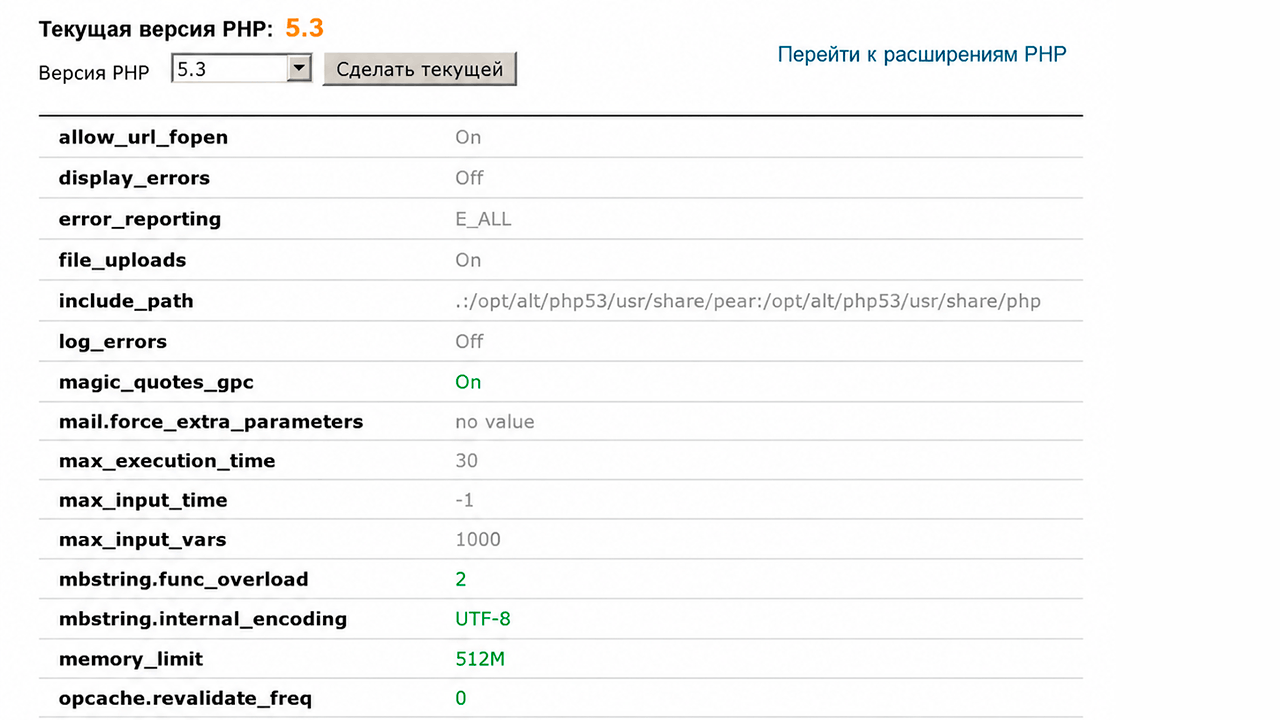
Go to: "Modifications" - "Go to options".
We set four parameters and click "Save".
| Indicator | Value | Why |
|---|---|---|
| mbstring.internal_encoding | UTF-8 | Works correctly with Cyrillic |
| mbstring.func_overload | 2 | Supports multibyte strings |
| opcache.revalidate_freq | 0 | Bitrix core requirement |
| memory_limit | 512M and higher | Heavy page stability |
3
Optimization
The built-in extension caches the compiled bytecode - this is critical for Bitrix, since the core consists of hundreds of files.
The main trap: validate_timestamps=0 gives maximum speed in production, but breaks development - changes to files are not applied without manually resetting the cache.
| Indicator | Prod | Dev |
|---|---|---|
| validate_timestamps | 0 | 1 |
| revalidate_freq | 0 | 2 |
| memory_consumption | 256 | 128 |
| max_accelerated_files | 10000 | 4000 |
4
Additional optimization
- Realpath cache - increase the realpath_cache_size to 4096K, which will reduce the load on the file system.
- PHP-FPM pool - make sure that the pool is configured for your domain, and not for the default www-data.
- Disable unnecessary extensions - each extra module eats up memory with each request.
- expose_php=Off — hides the version from the headers, minimal but real protection.