Complete guide to configuring IPsec VPN: Mikrotik, Cisco FTD, NSX Edge, pfSense
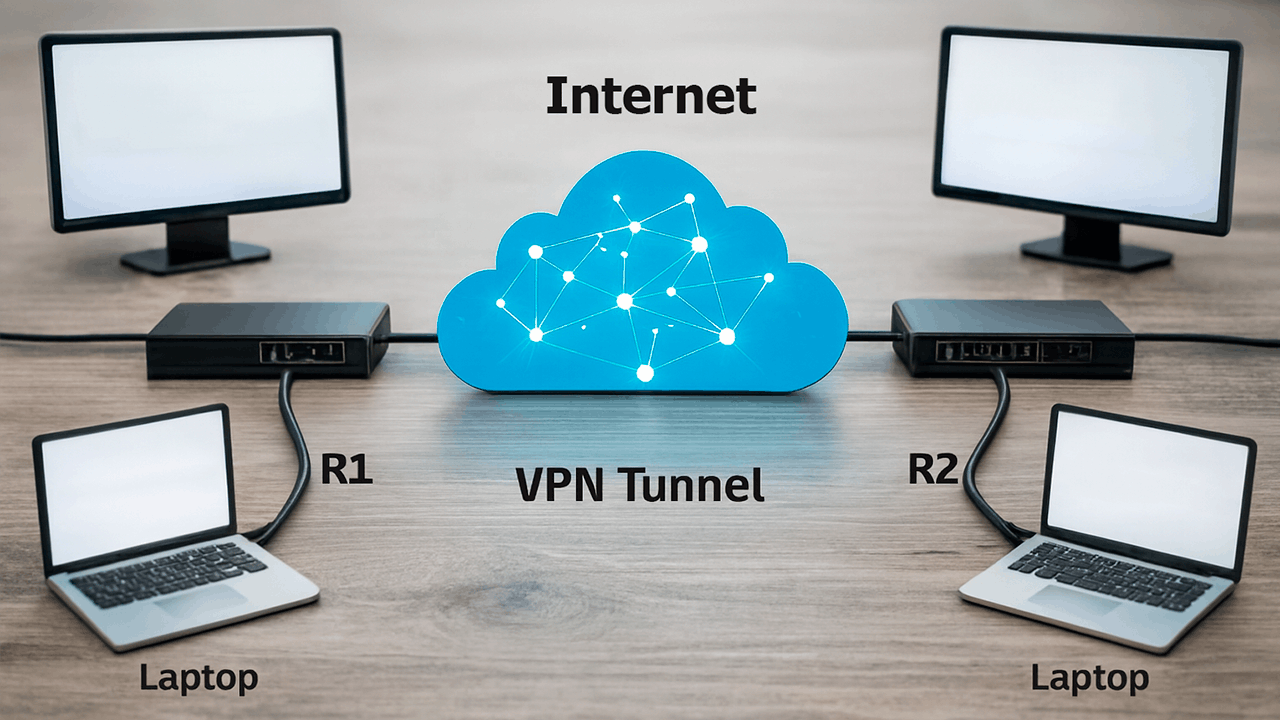
IPsec VPN is needed if you need to:
- Combine offices into a single network (site-to-site)
- Connect the office to the cloud server
- Organize secure access to the infrastructure
- Encrypt employees' L2TP connections
- Build a hybrid architecture (on-prem + cloud)
If you use a VPS or cloud as a central point, you get:
- stable public IP
- no problems with NAT providers
- guaranteed uptime
- scalability
- bandwidth control
The tunnel in production should end at the data center and not at a home or office provider with a gray IP.
- IPSec — a protocol for encrypting traffic at the network level.
- IKE (v1/v2) — a mechanism for matching tunnel parameters.
- DH Group — the key exchange algorithm.
- PFS — generate new keys for each session.
IPsec consists of two phases:
| Phase | What's going on | Importance |
|---|---|---|
| Phase 1 (IKE SA) | Negotiation of encryption parameters | Critical |
| Phase 2 (IPSec SA) | Tunnel creation and traffic encryption | Critical |
DH Group
| Group | Type | Recommendation |
|---|---|---|
| 2 | Outdated | Do not use |
| 14 | 2048-bit | The minimum allowed |
| 19-21 | ECC | Optimal |
| 31 | Modern | Recommended |
PFS
If PFS is enabled, if one key is compromised, the rest remain protected.
In production:
- Phase 1: DH group 14 or 19
- Phase 2: PFS is enabled
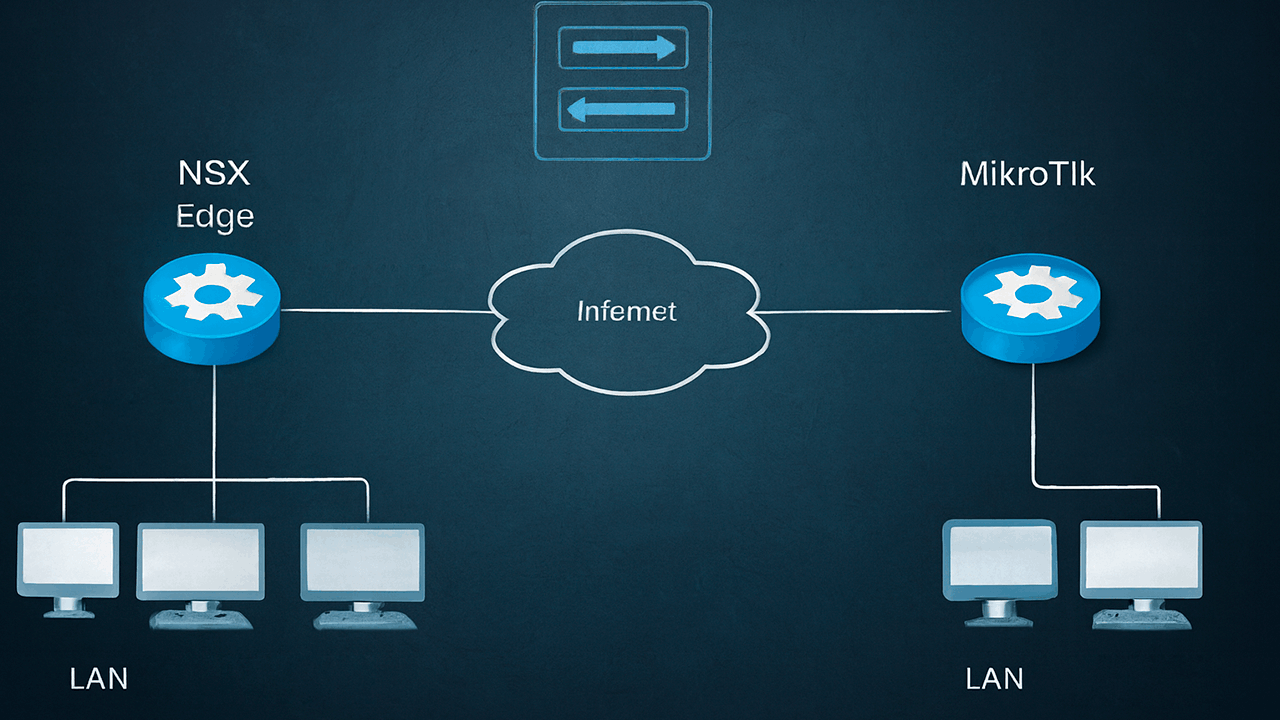
3.1 MikroTik - MikroTik (Site to Site)
- Consolidation of branches
- Connecting the office to the VPS
- Backup channel
Basic steps
- Setting up a Peer
- Setting up a Proposal
- Creating a policy
- NAT bypass
- Firewall
Critical points
- Disable FastTrack for IPsec
- Add a NAT bypass rule
- Allow UDP 500 and 4500
What's the difficulty?
Cisco uses a strict profile model through FMC.
The configuration includes:
- IKE Policy
- IPSec Proposal
- Crypto Map
- Access ControlPolicy
A common mistake
Mismatch encryption:
| MikroTik | Cisco |
|---|---|
| AES-256 | AES-256 |
| SHA1/SHA256 | It must match |
| DH Group | Must match |
If at least one parameter does not match, the tunnel will not rise.
It is used when connecting to the VMware cloud.
Features:
- Usually policy-based
- Sensitive to mismatch lifetime
- Requires precise indication of local/remote subnets
The most stable scenario.
pfSense flexible and good friends with MikroTik.
Important:
- Check NAT-T
- Check the correctness of the Phase 2 selector
- Enable auto firewall rule generation
IPsec behind NAT works via NAT-T (UDP 4500).
But:
- Gray IP addresses complicate the diagnosis
- DoubleNAT causes problems
- CGNAT often breaks stability
| Parameter | Office Internet | VPS |
|---|---|---|
| Public IP address | Not always | Yes |
| DDoS protection | No | Yes |
| Uptime | Depends on the provider | 99.9%+ |
| Scaling | No | Yes |
If you are building a VPN for business, move the central point to the cloud.
It is used to connect employees.
Consists of:
- L2TP tunnel
- IPsec encryption
- Firewall
- Users
Positive:
- Works on Windows/macOS without a client
- Simplicity
Minuses:
- An outdated standard
- Less secure than IKEv2 EAP
This is the best option for remote employees.
Why:
- Modern Cryptography
- Mobile device support
- Stability
To apply:
- AES-256
- SHA256
- DH group 19
- Certificates instead of PSK
This is the most frequent source of problems.
Necessarily:
- Add an IPsec policy "accept" rule
- Disable fasttrack for VPN
- Add srcnat bypass
Example of logic:
- accept policy=in, IPSec
- accept policy=out, IPSec
- srcnat action=accept for VPN subnets
- next, the usual masquerade

On MikroTik:
- Active Peers
- Installed SAs
- Log with IPsec debug enabled
If the SA is being created, but no traffic is running, the problem is with the policy or firewall.
- DH group mismatch
- Different lifetime
- HAT without bypass
- FastTrack is enabled
- Different networks in polisi
- Provider's CGNAT
A VPN on an office router is:
- risk of blackout
- dependence on ISP
- There is no monitoring
- there is no reservation
A VPN on a VPS is:
- guaranteed uptime
- DDoS protection
- stable public IP
- the ability to raise a backup tunnel
- scaling the CPU for encryption
- You have several branches
- Remote employees
- Cloud infrastructure
- SLA required
- 1C, CRM, ERP are used through a tunnel

The optimal scheme:
IPsec Branches > VPS in the data center (Cloud Servers) < IPsec < second branch
Advantages:
- The central point
- Simple routing control
- The ability to add BGP
- Simple scaling
- MikroTik - Mikrotik (site to site)
- VPS in the data center
- L2TP/IPsec server
- IKEv2 EAP server
All examples are designed for RouterOS v7.
Initial data
| Parameter | Office 1 | Office 2 |
|---|---|---|
| Public IP address | 1.1.1.1 | 2.2.2.2 |
| LAN | 192.168.10.0/24 | 192.168.20.0/24 |
| PSK | StrongPSK123 | StrongPSK123 |
Step 1. Create a Phase 1 profile
- /ip profile
- add name=profile hash-algorithm=sha256 enc-algorithm=aes-256 dh group=modp2048
Step 2. Add a peer
- /ip peer
- add address=2.2.2.2 exchange-mode=ike2 profile=profile secret=StrongPSK123
Step 3. Configure the proposal (Phase 2)
- /ip proposal
- add name=proposal auth-algorithms=sha256 enc-algorithms=aes-256-cbc pfs-group=modp2048
Step 4. Create a policy
- /ip policy
- add src-address=192.168.10.0/24 dst-address=192.168.20.0/24 tunnel=yes proposal=proposal peer=2.2.2.2
Step 5. NAT bypass (critical)
- /ip firewall nat
- add chain=srcnat src-address=192.168.10.0/24 dst-address=192.168.20.0/24 action=accept place-before=0
Step 6. Firewall Rules
- /ip firewall filter
- add chain=input protocol=udp port=500,4500 action=accept
- add chain=input protocol=esp action=accept
- add chain=forward policy=in,ipsec action=accept
- add chain=forward policy=out,ipsec action=accept
If MikroTik is installed in the cloud (CHR), the scheme is almost the same. The difference is usually:
- Nonat
- public IP address directly on the interface
- Higher stability
In this case, you don't need to add the HAT bypass rule if masquerade is missing.
Checking the status:
- /ip IPsec active-peers print
- /ip IPsec installed-sa print
Turning on the L2TP server
- /interface l2tp-server server
- set enabled=yes use-ipsec=yes secret=StrongPSK123 default-profile=default
Creating a user
- /ppp secret
- add name=user1 password=Password123 service=l2tp profile=default
Firewall
- /ip firewall filter
- add chain=input protocol=udp port=500,4500,1701 action=accept
- add chain=input protocol=esp action=accept
This option is better for production and mobile clients.
1. Create a profile
- /ip profile
- add name=ike2-profile hash-algorithm=sha256 enc-algorithm=aes-256 dh group=modp2048
2. Proposal
- /ip proposal
- add name=ike2-proposal auth-algorithms=sha256 enc-algorithms=aes-256-cbc pfs group=modp2048
3. Peer
- /ip peer
- add exchange-mode=ike2 profile=ike2-profile passive=yes
4. Identity
- /ip identity
- add auth-method=eap certificate=server-cert generate-policy=port-strict mode-config=ike2-config
5. Mode-config
- /ip mode-config
- add name=ike2-config address-pool=vpn-pool split-include=192.168.10.0/24
6. Creating a pool of addresses
- /ip pool
- add name=vpn-pool ranges=10.10.10.10-10.10.10.50
If the tunnel does not rise:
- /log print where topics~"ipsec"
For a detailed debug:
- /system logging add topics=!packet
If the SA is being created, but there is no traffic, we check:
- /ip firewall nat print
- /ip firewall filter print
- /ip route print
If you raise IPsec in production:
- use IKEv2
- use AES-256 + SHA256
- DH is not lower than MODP2048
- place the VPN-hub on the UPU
- monitor the CPU load (IPsec loads the processor)
Checking the download:
- /tool profile
- /system resource monitor
If the CPU under encryption is consistently above 70%, it's time to scale up resources.
In 90% of cases, there is a discrepancy between the Phase 1 or Phase 2 parameters.
Check:
- Does the DH group match
- Does the hash match (SHA1/SHA256)
- Does the encryption algorithm match
- Does lifetime match
- Is the PSK correct
- Are UDP 500 and 4500 open?
If IKEv2 is used, check it additionally.:
- validity of certificates
- identity match
- correctness of the mode-config
The problem is with policies and routes.
Check it out:
- Is there a NAT bypass?
- Is FastTrack disabled?
- Do the networks match in the policy?
- Is there a route to the remote network?
- Is there an overlap of subnets?
Very often, the reason is that the masquerade rule is higher than the "accept" rule for VPN.
IKEv2.
Reasons:
- Faster approval
- more stable forNAT
- works better with mobile clients
- supports EAP
- modern cryptography
IKEv1 should only be used for compatibility with older hardware.
| Parameter | L2TP/IPsec | IKEv2 |
|---|---|---|
| Simplicity | Easier | A little more complicated |
| Safety | Average | High |
| Modernity | Outdated | Actual |
| Mobile clients | Works | It works better |
If the project is new, choose IKEv2.
Technically— yes, but not stably.
Problems:
- DoubleNAT
- CGNAT
- unstable providers
- inability to make incoming connections
If the VPN is critical for business, use a VPS with a white IP.
Encrypts all traffic. This:
- AES-256
- SHA256
- DH calculations
On Mikrotik, without hardware acceleration, the CPU quickly becomes a bottleneck.
If you see:
- CPU above 70%
- increasing delays
- Tunnelinstability
it's time to scale the hardware or UPV.
Yes. PFS provides:
- generating new keys for each session
- protection in case of key compromise
You can disable the PFS only if compatibility with older hardware is required.
Yes. This is the optimal architecture.
The script:
- Each branch raises IPsec to the UPU
- The fileserver acts as a VPNhub
- Routing is configured centrally.
Positive:
- easier administration
- easily add a new office
- you can implement BGP
- it is convenient to scale
Check:
- stability of the Internet channel
- availability of CGNAT
- correct DPD settings
- MTU (often a fragmentation problem)
- no CPU overload
If the central point is in the office, move it to the data center. This eliminates half of the problems.
On Mikrotik:
- /ip installed-sa print
If there are active SA and the packet counters are growing, the tunnel is running.
You can, but:
- DDNS is needed
- the risk of breakage increases
- Diagnosis is more difficult
A static IP is recommended for production.
We recommend it:
- IKEv2
- AES-256
- DH 14+
- PFS is enabled
- Central VPNHub
This gives:
- stability
- predictable delay
- load monitoring
- scalability
If theVPN is critical, yes.
Variants:
- the second Internet channel
- a second fileserver in another data center
- two peers with different priorities
- BGP over IPsec
A business without redundancy is a risk of downtime.
PSK is acceptable if:
- complex (at least 20 characters)
- not reusable
- stored safely
It is better to use certificates for serious projects.
If tunnel is hosted on a fileserver:
- you can increase the CPU
- You can increase the bandwidth
- You can upgrade to a more powerful tariff.
If everything is in the office, you will have to change the equipment.
Approximate estimate:
- AES-256 without hardware acceleration: ~100-300 Mbps per 1 vCPU
- CAES-NI: significantly higher
- On budget routers, the bottleneck is already at 50-150 Mbps.
If there is traffic going through the tunnel:
- 1C
- video surveillance
- file traffic
- backups
— The CPU needs to be laid with a margin.
To summarize in an adult way:
- The security protocol remains the Mikrotik standard for site-to-site
- IKEv2 is preferable to IKEv1
- DH 14+ minimum
- PFS include
- HAT bypass is required
- Disable FastTrack
- Place the center point in the cloud
If you are a hosting client and plan to:
- combining offices
- hybrid infrastructure
- remote employee access
- stable operation of CRM/1C
— do not build a tunnel on your home internet.
Place the VPNhub on cloud hosting in the data center. It's cheaper, more stable, and more predictable in the long run.